One platform.
Quotes, jobs, crews,
customers — done.
AI quote import, voice assistant, customer selections, and a warranty desk at $99/mo Pro — replacing $635–935/mo of tool sprawl. Field workflows work offline.
Why JSC
Five things you won't get from any single competitor at this price.
Voice, photo, or PDF → priced quote
AI quote import accepts all three at Pro $99/mo. Buildxact's “Blu” is PDF-only and gates to $279/mo†.
Hands-free in-app voice
Drive the app from a ladder or a truck cab. Only JobNimbus Scout ships comparable in-app voice; everyone else's “voice” answers inbound customer calls.
Shoot photos from a locked iPhone
No construction or field-service app we surveyed launches from a locked iPhone — Camera Control, Action button, Control Center, or Siri (13 competitors checked, June 2026). Every shot files itself to a company-wide Unassigned inbox; CompanyCam makes you pick a project first.
Selections + warranty at $99/mo
Buildertrend gates both to Complete tier — third-party-cited at $1,099/mo†. JSC ships them at Pro for one-eleventh the price.
30-day trial on every plan
Industry norm is 14 days. Buildertrend, ServiceTitan, JobNimbus, and JobTread require a demo before you see a price.
Watch it work, start to finish
Recorded in the shipping app at normal speed. Nothing here is a mockup.
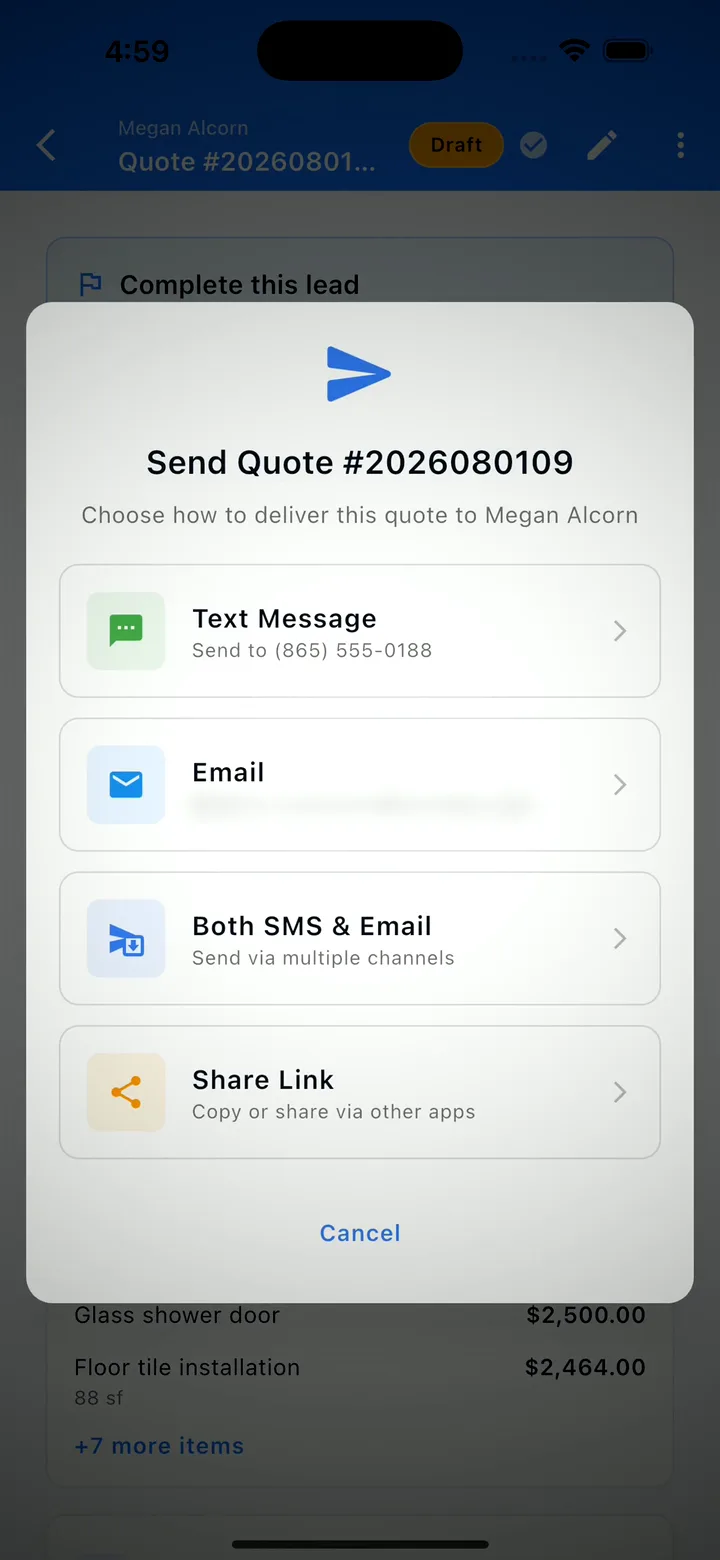
From a driveway address to a signed quote
Capture the lead on site, fill it in from the truck, then build the quote off that same record. Send a link — your customer reads it and signs with no app, no account and no password. It comes back accepted, with a signed, timestamped PDF archived on the record.
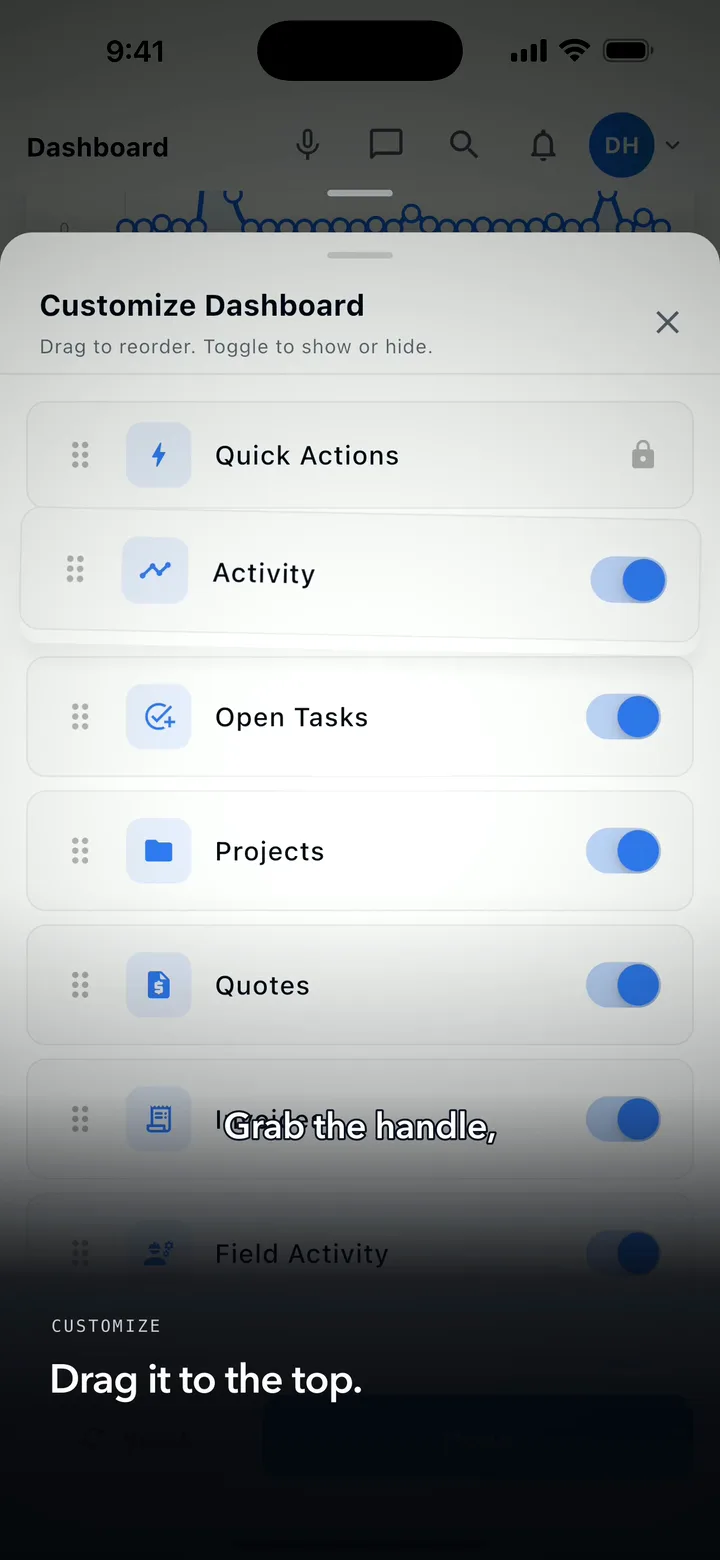
Pick what your dashboard shows — and the order it shows it in
Every section of the dashboard can be shown, hidden, or dragged into your order, and the quick-action shortcuts work the same way. Set it once and the app opens on what you check every morning. Your layout is yours alone — it never changes anyone else’s.
Read the walkthrough transcript
Captions are burned into the video and are always on.
Standing in the driveway. The job's real. The paperwork isn't, yet.
Add a photo, talk the note in, save it. That's the lead.
Back at the truck you open it again and fill in what you know. Same record, start to finish.
Then build the quote off that same record. Say what the work is, and it comes back as priced line items you can edit.
Send it. Your customer opens a link. No app, no account, no password. Reads it, and signs.
It lands back in your app as accepted, with a signed PDF archived on the record. Address to signature, no desk.
Read the how-to transcript
Captions are burned into the video and are always on.
Every crew runs different. Your dashboard should, too. Scroll to the bottom of the home screen and tap Customize.
Everything the dashboard can show is in this one list. Don’t use a section? Toggle it off. It’s hidden, not deleted. Change your mind later — toggle it right back.
Grab the handle, and drag what you check every morning to the top.
Quick actions work the same way. Tap Customize on the shortcut row. Keep the actions you use. Drag them into your order.
Back on the dashboard: your layout, your order, ready to work. Set it once. It’s your home screen now.
56 capabilities, grouped the way you'd buy them
From the first online booking to the last warranty close-out — one platform, five questions answered.
Pitch and close, faster.
Quotes & e-sign
Build itemized quotes in minutes. Draw-to-sign on any phone — legally binding, archived PDF.
AI quote import Solo
Dictate a job walk, snap a hand-written estimate, or drop a competitor's PDF. AI returns priced line items.
Customer booking
Customers in your portal pick a time from your real availability. Requests land in your inbox ready to quote.
The execution surface for office, foreman, and crew.
Projects, scheduling, daily logs
Drag workers onto jobs, capture one-tap weather + photos + notes, and close projects cleanly with a punch list.
GPS time clock with offline queue
Geofenced check-ins prove every hour was on-site. Photos, time, and mileage queue locally and sync on reconnect.
Voice assistant Pro
Hands-free in-app control. Dictate quotes, navigate the app, capture notes while you drive.
Photos hub + Unassigned inbox
Shoot first, file later. Every photo lands in a company-wide Unassigned inbox — the field never picks a project, the office files from the desktop.
Lock-screen & one-tap capture
Snap straight from the lock screen — Camera Control, the Action button, Control Center, or a voice command.
Auto-tagging + smart suggestions
Photos tag themselves with work category and project phase, and smart suggestions offer the right project while you're still on-site.
Video clips
Capture short video clips on the job and share them with customers on the portal — same inbox, same filing flow as photos.
The portal, selections, and warranty that keep customers in the loop.
Customer portal
Customers view quotes, pay invoices, and watch project status from any device. Ships at Starter $49.
Customer selections Pro
Track options, allowances, approvals, and overages. Buildertrend gates this to $1,099/mo Complete.
Warranty desk Pro
Post-handoff service requests flow through the portal. Assign, track, resolve. Same gate as selections at competitors.
Revenue → cash → reporting in one loop.
Invoicing + card & ACH
Send invoices and accept card or ACH at every tier. Get paid before the truck leaves the driveway.
QuickBooks time export Business
Send approved crew hours to QuickBooks — a CSV/IIF time export on Business, for QuickBooks Online and Desktop alike. No Friday-night re-keying.
Advanced reporting Pro
Profit by project, productivity, and cash-flow forecasts in one dashboard. P&L per job at Business.
Subs, compliance, safety, and the workflows insurers ask about.
Subcontractor portal Business
Subs log in for RFQs, work orders, invoices, photo requests, RFIs, and COI uploads. Login-gated — not email-only.
COI inbox + compliance Business
Subs upload COIs; JSC parses, alerts on expiration, and enforces coverage. Audit-ready reports.
OSHA-ready safety Business
300/301-ready incident reports with witness statements; pre-built trade toolbox talks with on-site sign-off.
Drop the Xactimate PDF.
Get a priced quote in 60 seconds.
Drop an Xactimate PDF and JobSiteCore parses it deterministically — line items by room, plus customer, property address, claim #, carrier, adjuster, and RCV/ACV. Symbility, RoofSnap, Roofr and EagleView PDFs are read by the AI importer. No more re-keying 80-line estimates by hand. No major construction PM platform we surveyed advertises native Xactimate ingest.
Shoot from the lock screen.
File from the office.
Of the 13 construction and field-service apps we surveyed (June 2026), none launches from a locked phone. JobSiteCore does — via the Camera Control button, the Action button, Control Center, or “Take Job Photo” by voice. And nobody in the field picks a project: every shot lands in a company-wide Unassigned inbox, smart suggestions offer the right project on-site, and the office files the rest from the desktop later.
Share photos into JobSiteCore from any app, or import straight from the camera roll — either way they tag themselves with work category and project phase. Capture short video clips and share them on the customer portal. Uploads run in the background and pick up where they left off — even offline. It’s the photo documentation app contractors pay $63–$199/mo for, built into the platform they already run the job on.
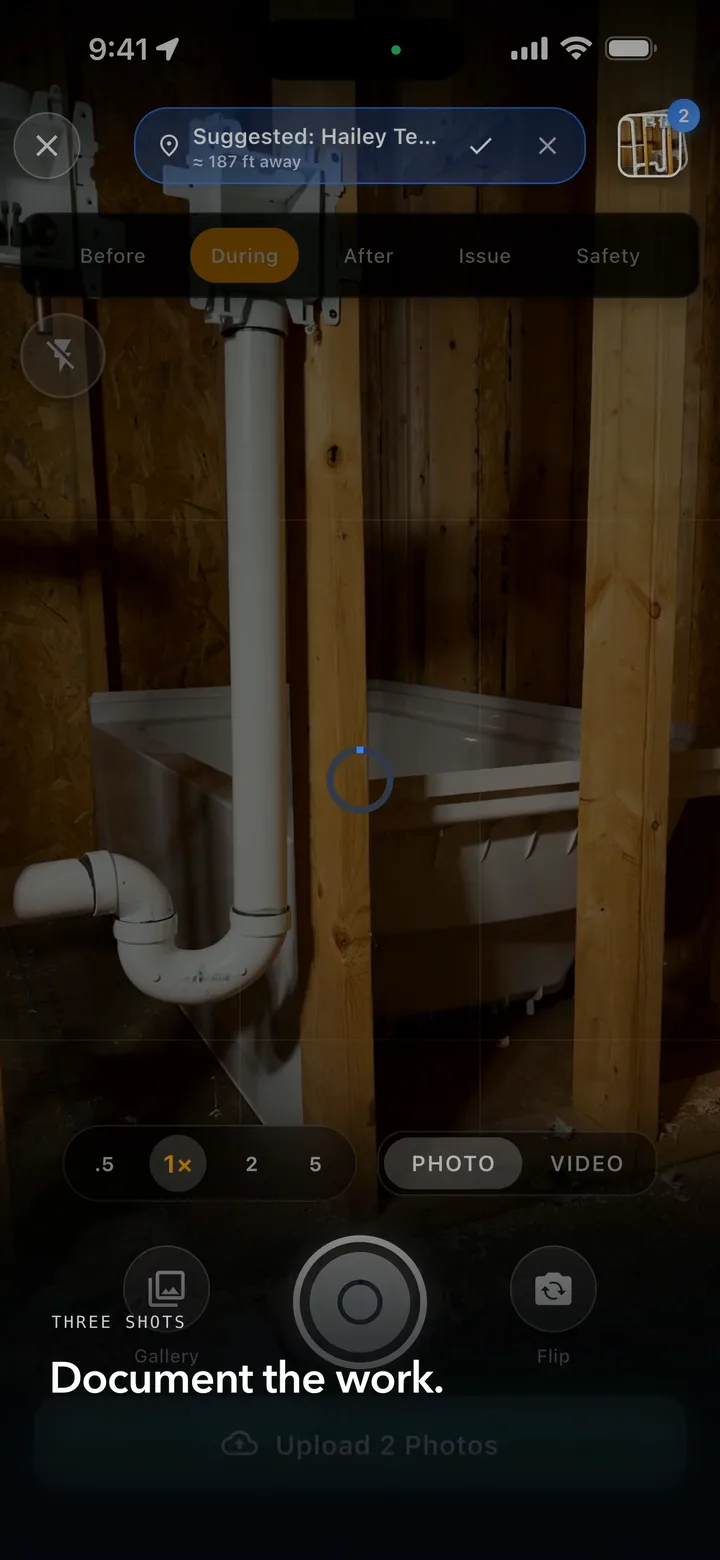
Locked phone, still filed to the right job
Shoot without unlocking. JobSiteCore then reads the photo's own GPS, ranks the nearest projects and offers you a suggestion to confirm. There is no AI in this and nothing files itself — you always get the last word.
Shown on iPhone.
See it in action
Built for contractors who need to move fast — on any device.
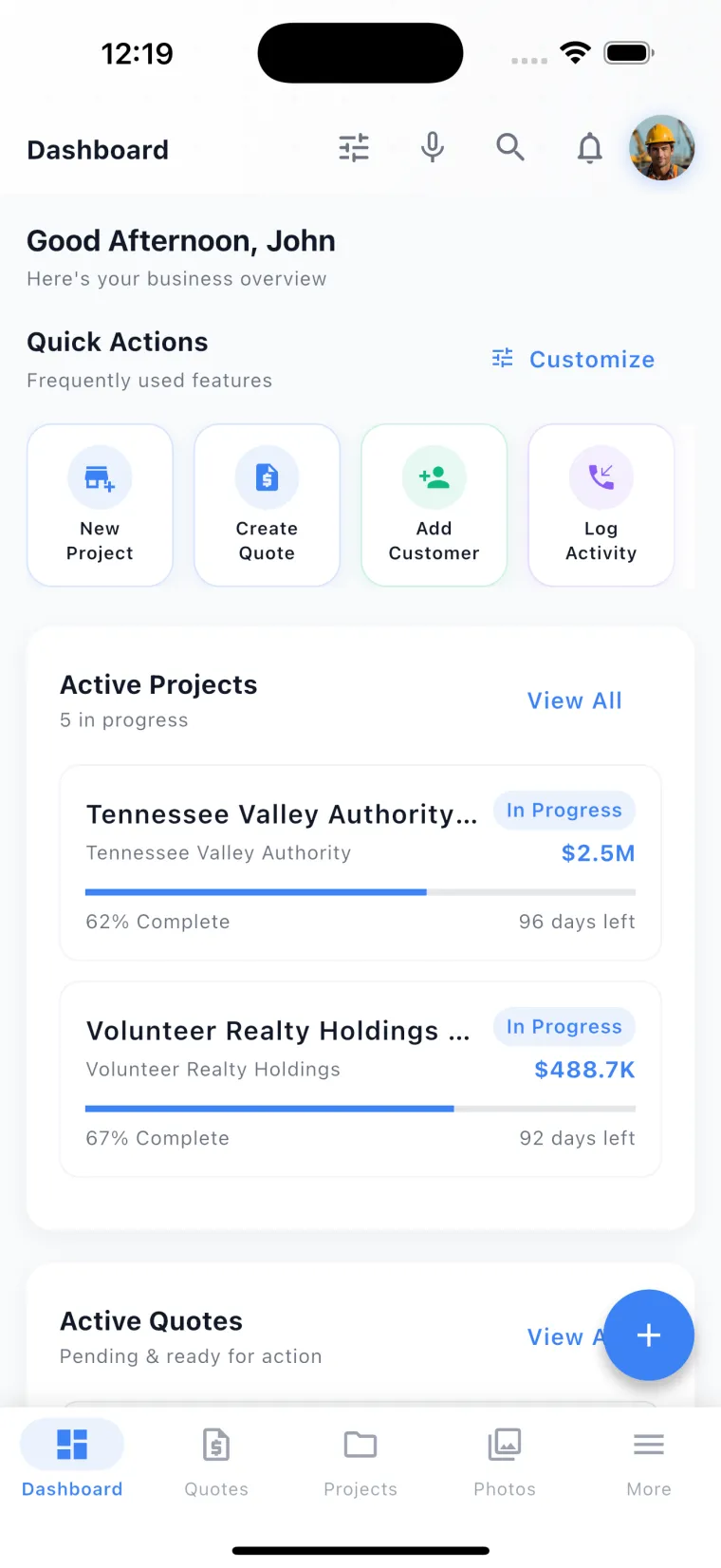
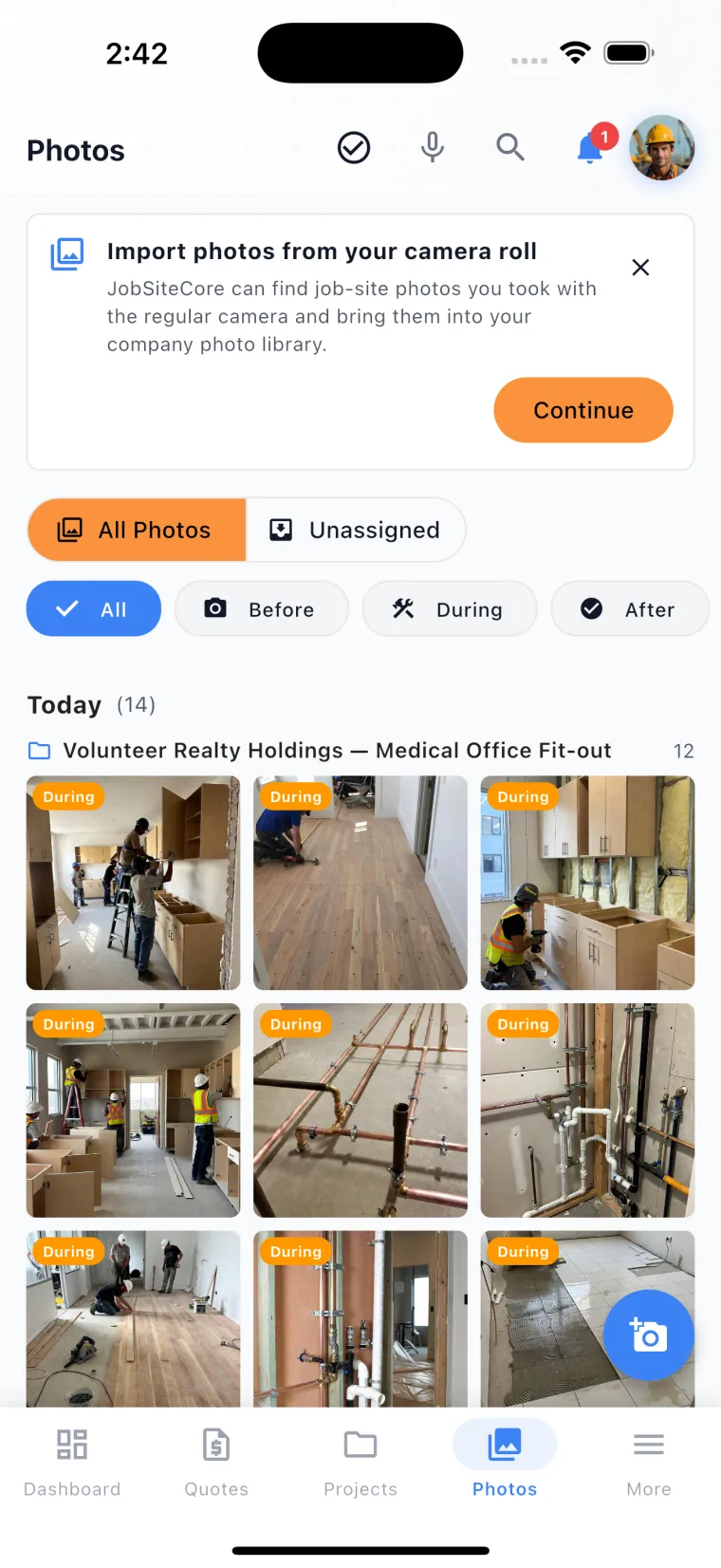
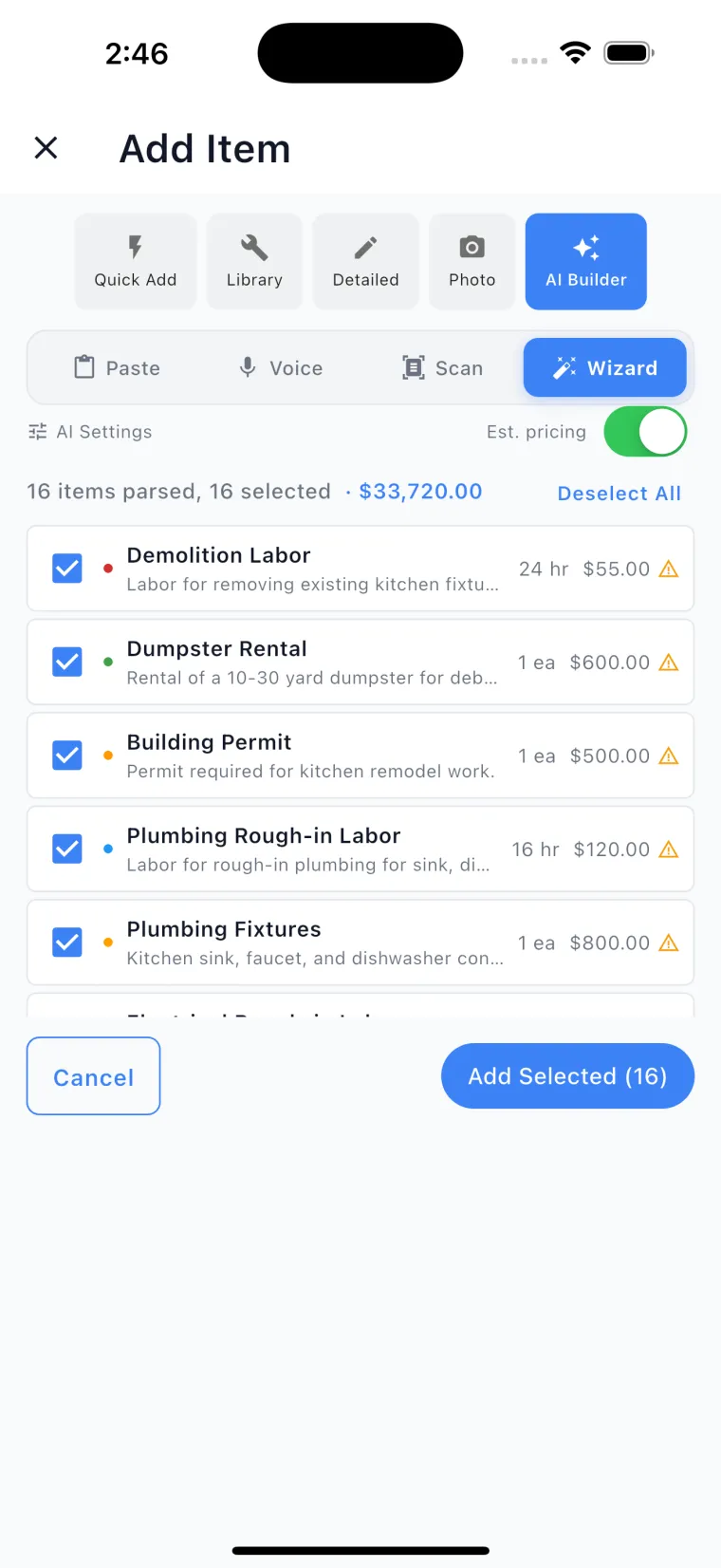
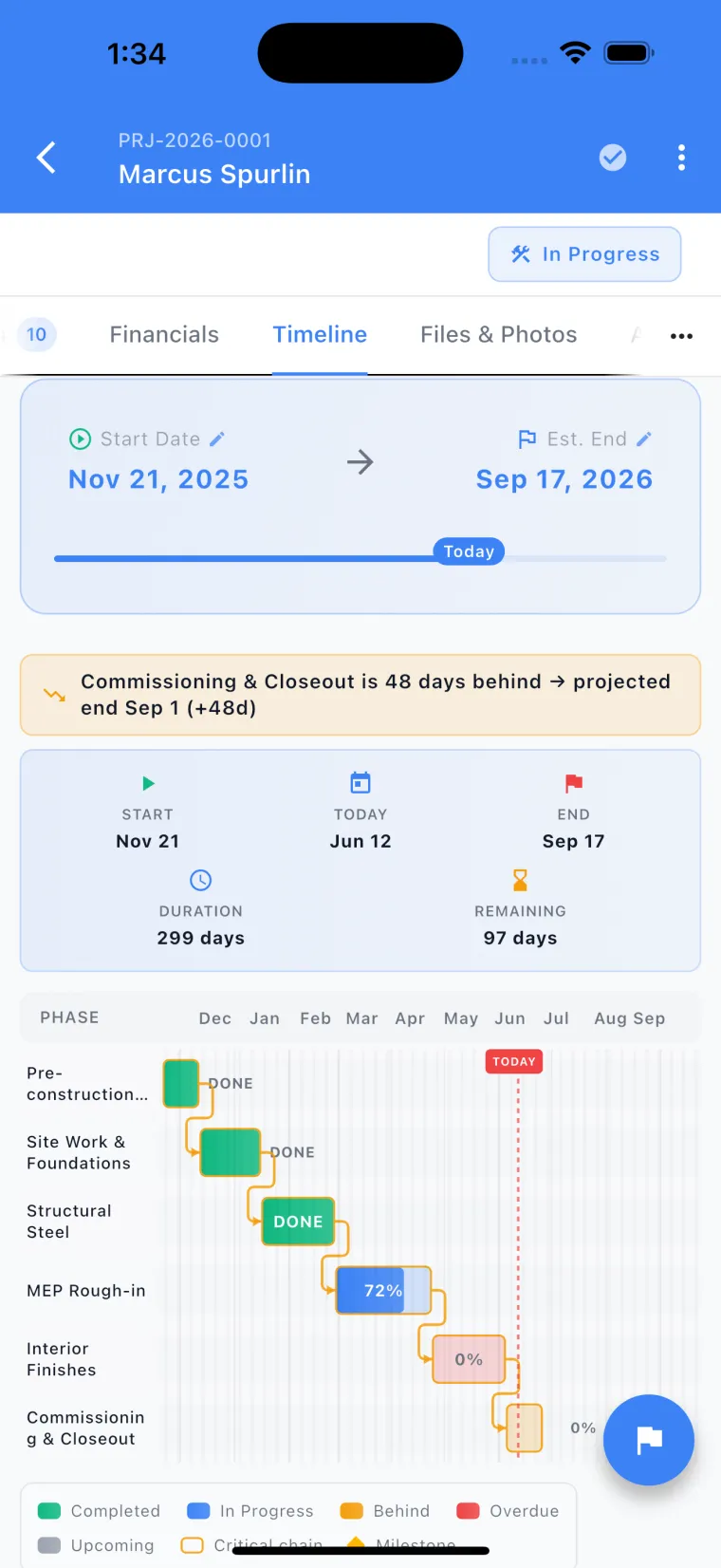
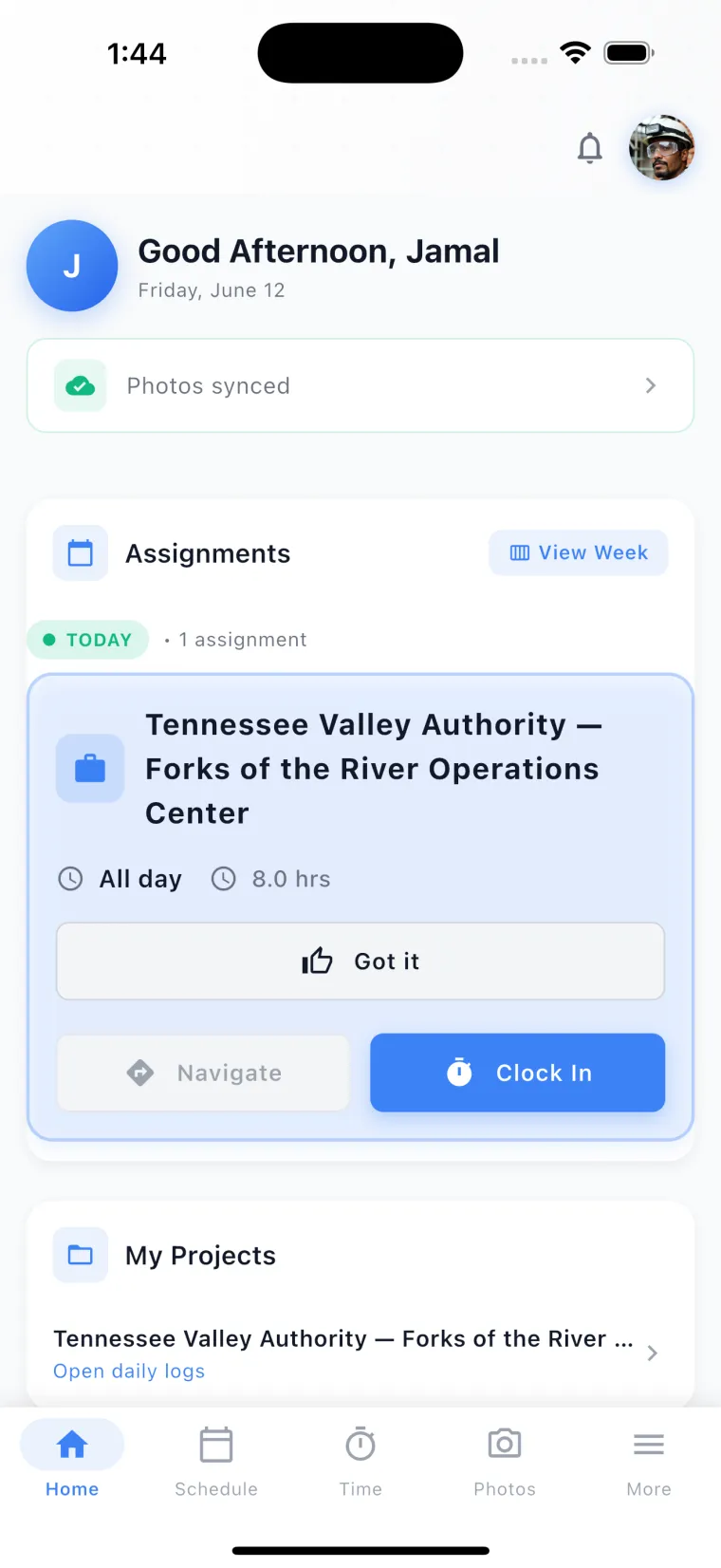
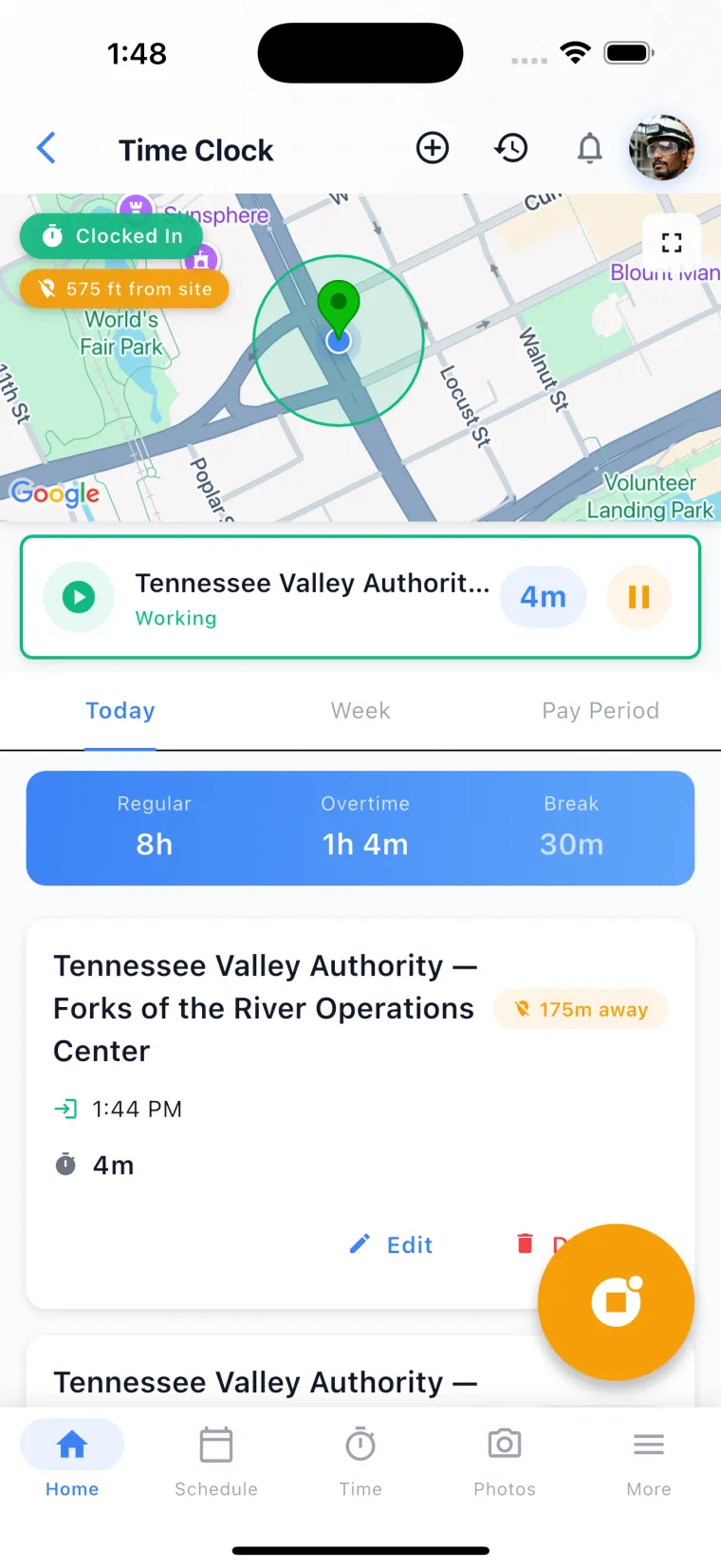
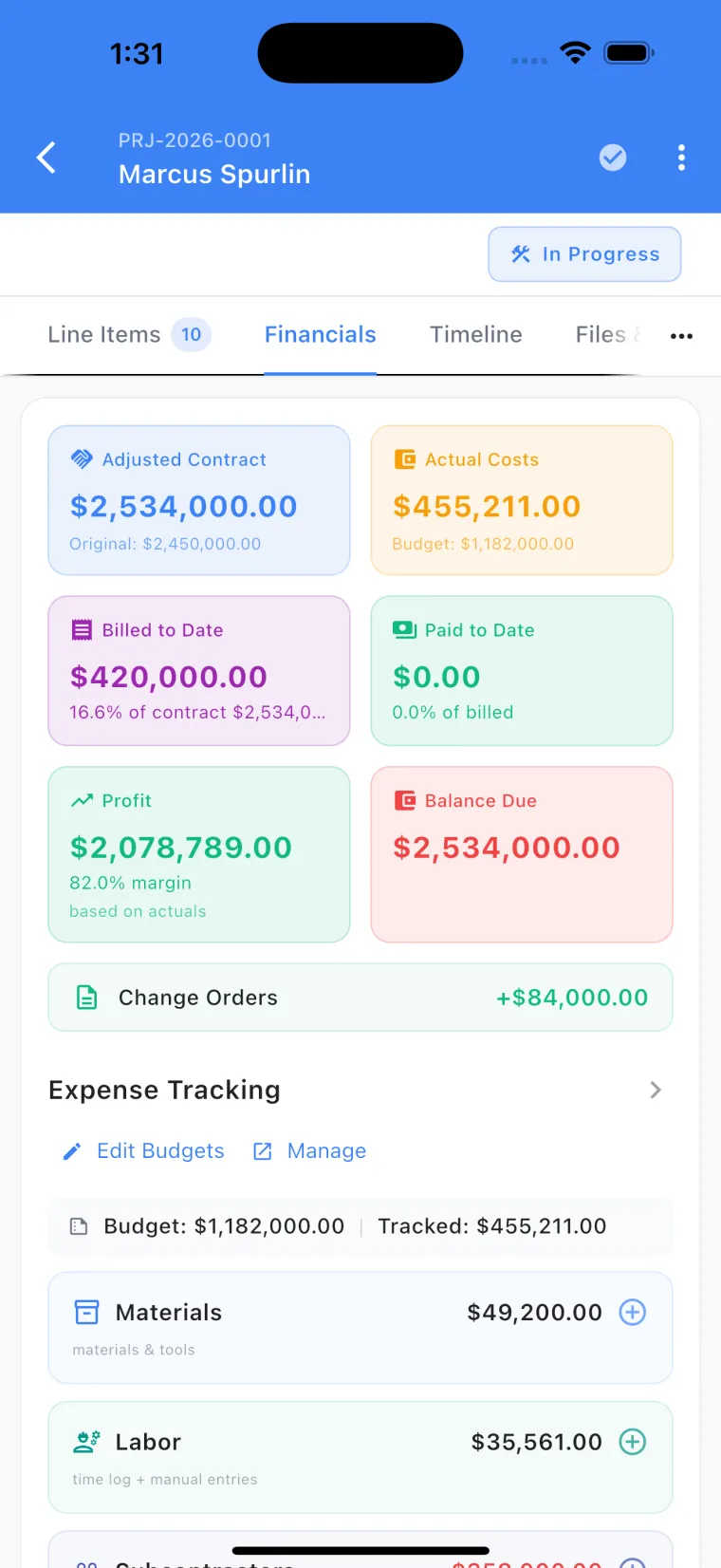
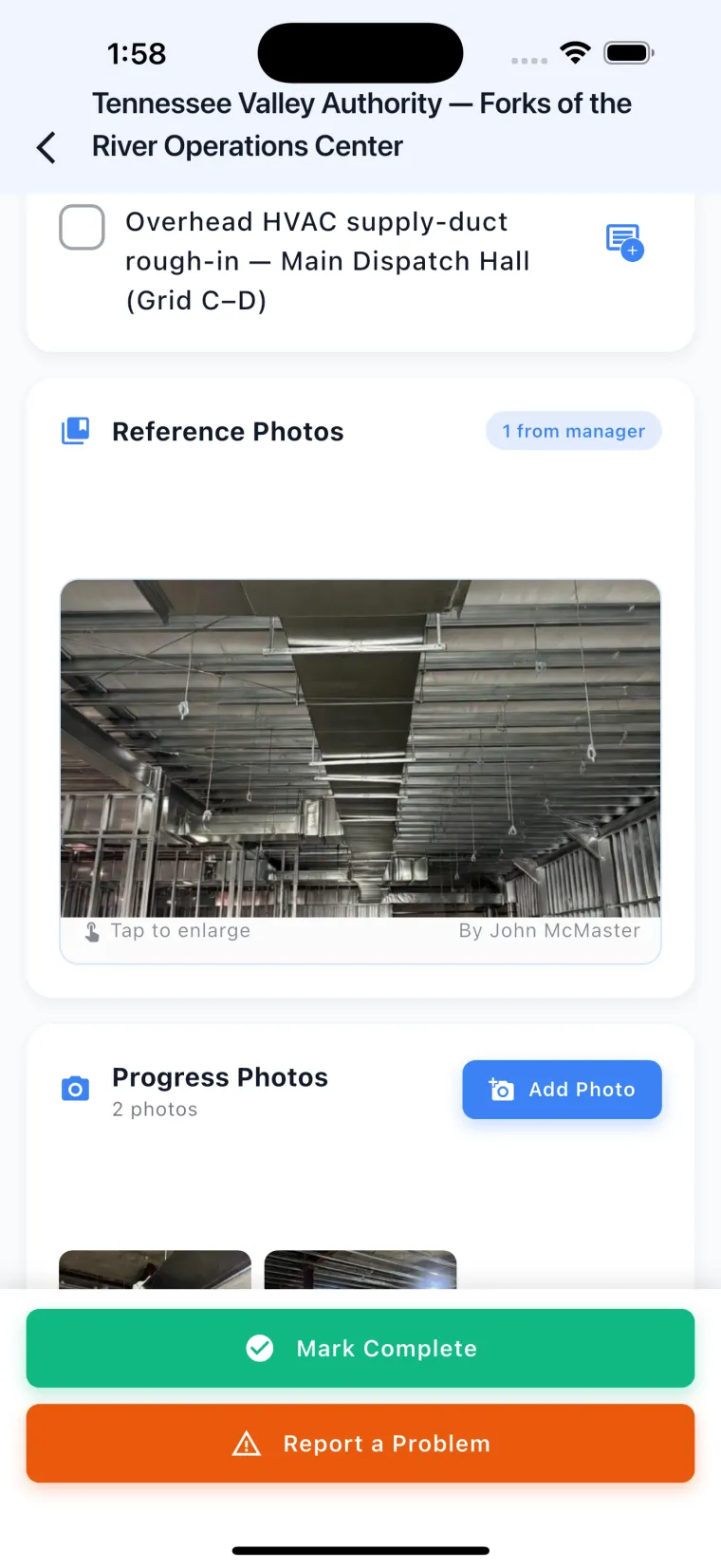
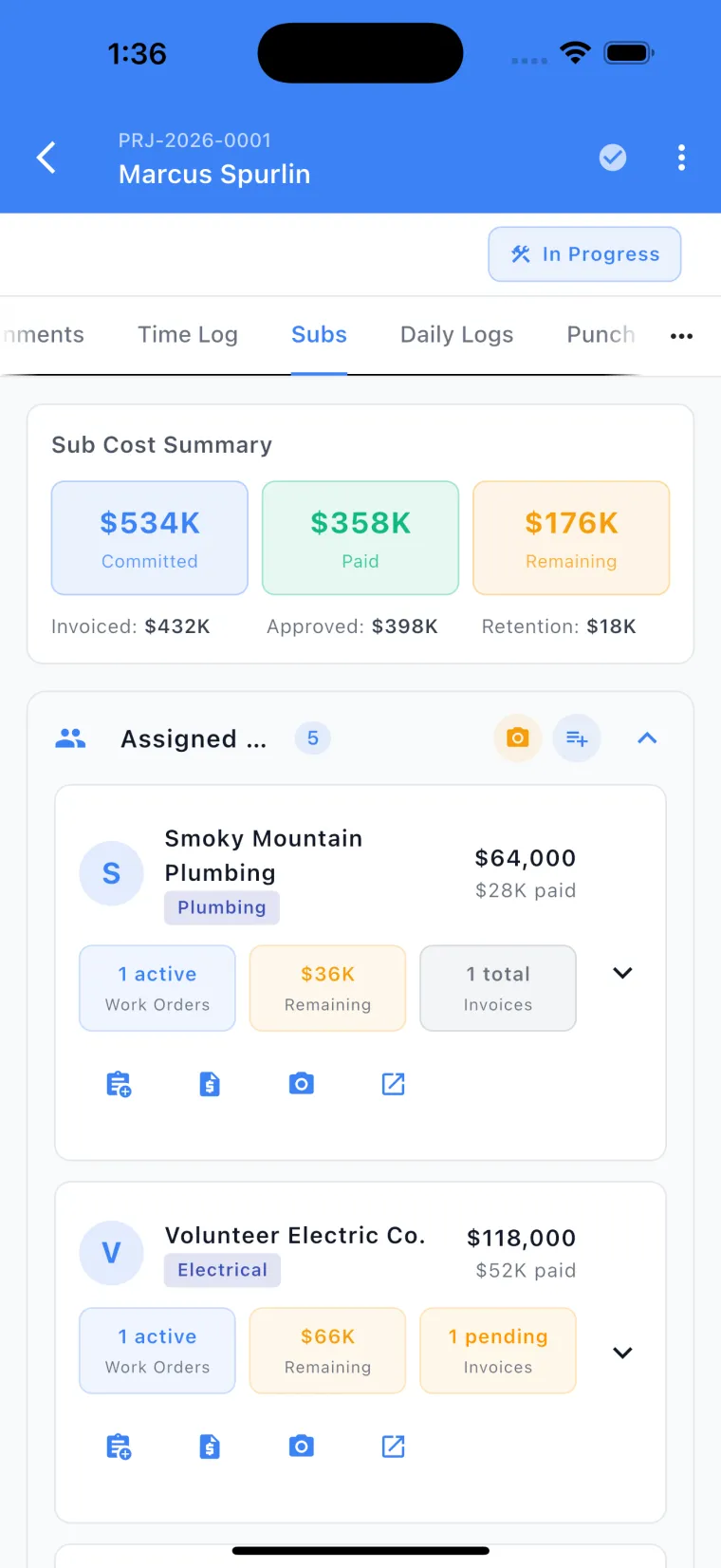
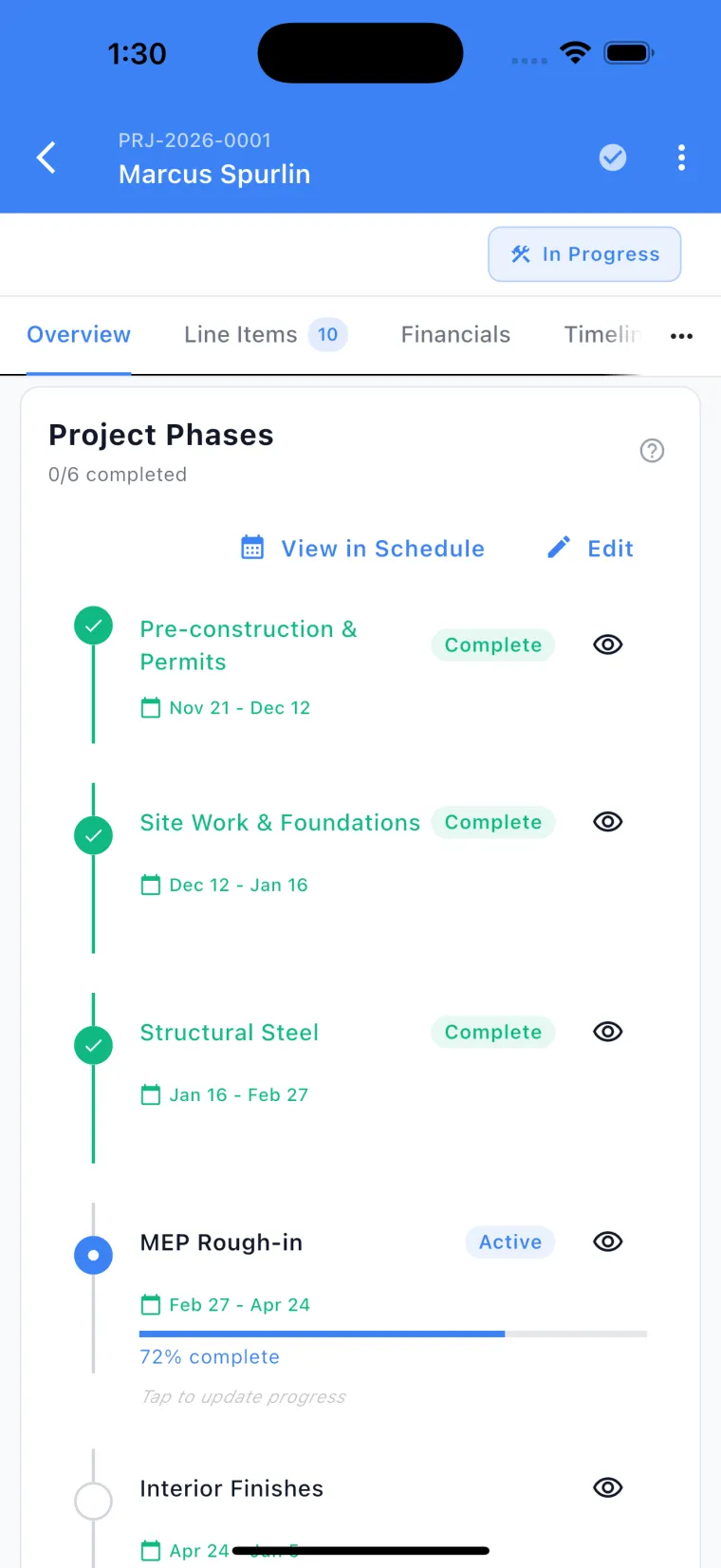
Swipe the screens · tap any one to zoom in
Pick your trade at setup.
The app changes its words.
Pick your trade when you create your company, and the app talks like your crew before the first quote goes out — your job sections, your price book, your quoting rules.
An elevator shop reads ten renamed phases — Survey & Diagnosis through Code Testing (Cat-1 / Cat-5) — plus a Down Cars panel on the dashboard, and the word Units where every other trade reads Assets. A concrete crew gets pour areas instead of rooms, and quotes priced in cy — never in “yards.” Fifteen options: eleven come tuned like this, and four keep the standard setup because nothing about a remodeler needed changing. Every word below is pulled straight from the app.
General Construction
Nothing is renamed, on purpose. The standard setup already talks like a residential remodeler, so we left every word alone — renaming things just to look busy would only slow your crew down.
The standard rooms and levels, unchanged: Kitchen · Living Room · Master Bedroom, across Main Level · Level 2 · Level 3 and the rest. Trades that work in rooms keep them.
The same phases every trade runs, unchanged. Only elevator work renames these.
Type it in. Ready-made buttons only exist for the trades that service the same named machines again and again.
16 priced line items, loaded the moment your company is created — a working price book before your first quote.
- Demolition & tear-out
- Debris haul-off & disposal
- Permit & inspection coordination
The full 79-category list, in the same order for everyone — no trade gets moved ahead of another.
The AI’s standard quoting instructions, unchanged.
Residential Construction
Nothing is renamed, on purpose. The standard setup already talks like a residential remodeler, so we left every word alone — renaming things just to look busy would only slow your crew down.
The standard rooms and levels, unchanged: Kitchen · Living Room · Master Bedroom, across Main Level · Level 2 · Level 3 and the rest. Trades that work in rooms keep them.
The same phases every trade runs, unchanged. Only elevator work renames these.
Type it in. Ready-made buttons only exist for the trades that service the same named machines again and again.
16 priced line items, loaded the moment your company is created — a working price book before your first quote.
- Demolition & tear-out
- Debris haul-off & disposal
- Permit & inspection coordination
The full 79-category list, in the same order for everyone — no trade gets moved ahead of another.
The AI’s standard quoting instructions, unchanged.
Commercial Construction
Commercial is who you sell to, not what you do — you could be any trade on this list, so your price book stays put. What changes is the AI that writes your quotes: it is told who the buyer is, so bids read the way GCs and facility managers expect, paperwork included.
The standard rooms and levels, unchanged: Kitchen · Living Room · Master Bedroom, across Main Level · Level 2 · Level 3 and the rest. Trades that work in rooms keep them.
The same phases every trade runs, unchanged. Only elevator work renames these.
Type it in. Ready-made buttons only exist for the trades that service the same named machines again and again.
16 priced line items, loaded the moment your company is created — a working price book before your first quote.
- Demolition & tear-out
- Debris haul-off & disposal
- Permit & inspection coordination
The full 79-category list, in the same order for everyone — no trade gets moved ahead of another.
a schedule of values, and allowances, alternates and unit prices as three DISTINCT things. Payment and performance bonds run roughly 1-3% of contract value. Expect AIA A101/A201 terms, G702/G703 payment applications, 5-10% retainage, conditional and unconditional lien waivers, and a submittal and RFI log.
Industrial
Industrial is a market, not a trade, so nothing is renamed. The AI that writes your quotes is told the schedule is the constraint, and that safety and access go on the bid as billable lines — not overhead you eat.
The standard rooms and levels, unchanged: Kitchen · Living Room · Master Bedroom, across Main Level · Level 2 · Level 3 and the rest. Trades that work in rooms keep them.
The same phases every trade runs, unchanged. Only elevator work renames these.
Type it in. Ready-made buttons only exist for the trades that service the same named machines again and again.
16 priced line items, loaded the moment your company is created — a working price book before your first quote.
- Demolition & tear-out
- Debris haul-off & disposal
- Permit & inspection coordination
The full 79-category list, in the same order for everyone — no trade gets moved ahead of another.
site orientation and badging, escorts, lockout/tagout, confined-space entry with a rescue standby, hot-work permits and fire watch, NFPA 70E arc-flash PPE and boundaries, scaffold, rigging and crane time, and air monitoring.
Remodeling
Nothing is renamed, on purpose. The standard setup already talks like a residential remodeler, so we left every word alone — renaming things just to look busy would only slow your crew down.
The standard rooms and levels, unchanged: Kitchen · Living Room · Master Bedroom, across Main Level · Level 2 · Level 3 and the rest. Trades that work in rooms keep them.
The same phases every trade runs, unchanged. Only elevator work renames these.
Type it in. Ready-made buttons only exist for the trades that service the same named machines again and again.
16 priced line items, loaded the moment your company is created — a working price book before your first quote.
- Demolition & tear-out
- Debris haul-off & disposal
- Permit & inspection coordination
The full 79-category list, in the same order for everyone — no trade gets moved ahead of another.
The AI’s standard quoting instructions, unchanged.
Electrical
Your price book, the equipment you track, and the way your quotes read are all electrical from day one. The job screens work like every other trade’s — nothing new for the crew to learn.
The standard rooms and levels, unchanged: Kitchen · Living Room · Master Bedroom, across Main Level · Level 2 · Level 3 and the rest. Trades that work in rooms keep them.
The same phases every trade runs, unchanged. Only elevator work renames these.
- Main Panel
- Sub Panel
- Generator
- Transfer Switch
- EV Charger
- Transformer
- UPS
- Lighting Control Panel
- Fire Alarm Panel
- Motor / VFD
13 priced line items, loaded the moment your company is created — a working price book before your first quote.
- Service call / diagnostic
- Panel upgrade — 200A
- Electrician labor
Your trade’s categories come first: Service · Repairs · Wiring & Devices · Lighting · Panels & Service · EV & Backup Power · Safety · Inspections · Permits & Fees · Labor · Electrical
"ea" dominates and is SUPPLY-AND-INSTALL — a fixture line already contains the fixture, so a separate materials line for the same fixture is double-billing. Use "hr" for troubleshooting and diagnostics, "lf" for wire, conduit and trenching, "ls" for packaged work such as a temporary service or a permit-and-inspection package.
Plumbing
Your price book, your equipment list, and the quoting rules are all plumbing from the start. The rest of the app stays the same — the crew learns it once.
The standard rooms and levels, unchanged: Kitchen · Living Room · Master Bedroom, across Main Level · Level 2 · Level 3 and the rest. Trades that work in rooms keep them.
The same phases every trade runs, unchanged. Only elevator work renames these.
- Water Heater
- Tankless Water Heater
- Boiler
- Backflow Preventer
- Sump Pump
- Sewage Ejector
- Booster Pump
- Grease Trap
- Water Softener
- Circulation Pump
13 priced line items, loaded the moment your company is created — a working price book before your first quote.
- Service call / diagnostic
- Water heater — 50 gal replacement
- Plumber labor
Your trade’s categories come first: Service · Repairs · Fixtures · Water Heaters · Drains & Sewer · Water Supply & Piping · Testing · Permits & Fees · Labor · Plumbing
"ea" for fixtures, heaters and valves, "hr" for diagnostics and drain work, "lf" for repipe, sewer and gas line, "ls" for packaged work. A capacity such as "50 gal" is a SPEC that belongs in the item name — the unit is still "ea".
HVAC
Quotes are priced by the system, not the room — and the AI that writes them knows a new R-410A system is no longer the thing to quote.
The standard rooms and levels, unchanged: Kitchen · Living Room · Master Bedroom, across Main Level · Level 2 · Level 3 and the rest. Trades that work in rooms keep them.
The same phases every trade runs, unchanged. Only elevator work renames these.
- RTU
- Split System
- Heat Pump
- Mini-Split
- Furnace
- Boiler
- Air Handler
- Chiller
- Cooling Tower
- Exhaust Fan
- ERV/HRV
- Unit Heater
13 priced line items, loaded the moment your company is created — a working price book before your first quote.
- Diagnostic / service call
- Seasonal tune-up
- HVAC labor
Your trade’s categories come first: Service · Maintenance · Repairs · Mechanical Equipment · Ductwork · Controls · Ventilation · Testing · Electrical · Permits & Fees · Labor · HVAC
"ea" for equipment and parts, "hr" for diagnostics, "lf" for duct and lineset, "sf" for duct sealing and insulation, "lb" for refrigerant, "visit" for maintenance-agreement tune-ups, "ls" for packages. A capacity such as "3-ton" is a SPEC in the item name — the unit "ton" means weight, so the line stays "ea".
Landscaping
Your price book is rebuilt from the ground up for landscaping, and quotes come out in the units this trade actually bills in.
The standard rooms and levels, unchanged: Kitchen · Living Room · Master Bedroom, across Main Level · Level 2 · Level 3 and the rest. Trades that work in rooms keep them.
The same phases every trade runs, unchanged. Only elevator work renames these.
Type it in. Ready-made buttons only exist for the trades that service the same named machines again and again.
12 priced line items, loaded the moment your company is created — a working price book before your first quote.
- Lawn maintenance — weekly
- Spring/fall cleanup
- Crew labor
Your trade’s categories come first: Maintenance · Planting & Beds · Hardscape · Irrigation · Lighting · Fencing · Site Work · Cleanup · Equipment Rental · Labor · Landscaping
"sf" for sod, beds and patio, "cy" for mulch and soil — NEVER write "yard" or "yd", the unit is "cy" — "ea" for plants, heads and fixtures, "lf" for edging, walls, fence and trench, "ton" for stone and boulders, "hr" for crew time, "visit" for route maintenance, "ls" for design and mobilization.
Roofing
Your price book is rebuilt from the ground up for roofing, and the AI that writes your quotes knows when a 40-line estimate is right and when it is padding.
The standard rooms and levels, unchanged: Kitchen · Living Room · Master Bedroom, across Main Level · Level 2 · Level 3 and the rest. Trades that work in rooms keep them.
The same phases every trade runs, unchanged. Only elevator work renames these.
Type it in. Ready-made buttons only exist for the trades that service the same named machines again and again.
12 priced line items, loaded the moment your company is created — a working price book before your first quote.
- Roof inspection & report
- Asphalt shingle roof — tear-off & install
- Skylight — replace existing
Your trade’s categories come first: Roofing · Repairs · Flashing & Sheet Metal · Soffit Fascia & Gutter · Ventilation · Demolition · Windows & Doors · Insulation · Inspections · Cleanup · Safety · Labor
"sq" (one square = 100 sf) is this trade's primary unit for tear-off and field material; "sf" for low-slope membrane and decking; "lf" for ridge, valley, drip edge, gutter and step flashing; "ea" for boots, vents and skylights; "sheet" for decking; "bundle" (3 per square) and "roll" for underlayment; "ls" for dumpster and permit.
Painting
Prep gets its own visible scope on the quote, and the pre-1978 lead rule becomes a billable line instead of overhead.
The standard rooms and levels, unchanged: Kitchen · Living Room · Master Bedroom, across Main Level · Level 2 · Level 3 and the rest. Trades that work in rooms keep them.
The same phases every trade runs, unchanged. Only elevator work renames these.
Type it in. Ready-made buttons only exist for the trades that service the same named machines again and again.
12 priced line items, loaded the moment your company is created — a working price book before your first quote.
- Interior — walls, 2 coats
- Interior — ceiling
- Painter labor
Your trade’s categories come first: Painting · Surface Prep · Cabinets · Drywall · Trim & Molding · Repairs · Hazmat / Abatement · Cleanup · Materials · Labor
"sf" for walls and body (state whether the basis is painted-surface sf or floor sf), "lf" for trim and fascia, "ea" for doors, windows and shutters — and cabinet work prices per DOOR and per DRAWER, never by sf — "gal" for material, "hr" for labor, "ls" for masking and mobilization.
Flooring
The one trade where the app deliberately keeps rooms — a flooring quote really is per room, so that is how it gets priced.
The standard rooms and levels, unchanged: Kitchen · Living Room · Master Bedroom, across Main Level · Level 2 · Level 3 and the rest. Trades that work in rooms keep them.
The same phases every trade runs, unchanged. Only elevator work renames these.
Type it in. Ready-made buttons only exist for the trades that service the same named machines again and again.
12 priced line items, loaded the moment your company is created — a working price book before your first quote.
- Tear-out — carpet
- Tear-out — tile/hardwood
- Furniture moving
Your trade’s categories come first: Flooring · Tile · Demolition · Surface Prep · Trim & Molding · Testing · Materials · Cleanup · Labor
"sf" for nearly everything, "sy" for carpet (1 sy = 9 sf), "lf" for transitions, stair nosing and base, "ea" for thresholds and treads, "box" for material by carton (which shows waste honestly), "roll" for underlayment, "bag" for thinset and leveler, "hr" for labor, "ls" for packages.
Concrete & Flatwork
A pour area is not a room and a pour is not a story, so the app stops asking a concrete crew about rooms — jobs are laid out in pour areas from the first quote.
The standard setup starts with Kitchen · Living Room · Master Bedroom · Master Bath …
- Driveway
- Sidewalk / Walkway
- Patio
- Garage Slab
- Basement Slab
- Footings
- Foundation Wall
- Steps & Stoop
- Curb & Gutter
- Pool Deck
- Shop / Barn Slab
- Approach & Apron
The standard setup starts with Main Level · Level 2 · Level 3 · Basement …
- Pour 1
- Pour 2
- Pour 3
- Footing Pour
- Wall Pour
- Slab Pour
- Flatwork Pour
- Site-wide
The same phases every trade runs, unchanged. Only elevator work renames these.
Type it in. Ready-made buttons only exist for the trades that service the same named machines again and again.
16 priced line items, loaded the moment your company is created — a working price book before your first quote.
- Concrete flatwork — 4" slab, broom finish
- Concrete driveway — 5" reinforced
- Concrete finisher labor
Your trade’s categories come first: Flatwork · Foundation · Decorative Concrete · Concrete · Site Work · Demolition · Repairs · Sealing & Coatings · Equipment Rental · Materials · Permits & Fees · Labor
"sf" for flatwork, "cy" for ready-mix and spoil, "lf" for footings, curb and saw-cuts, "ea" for piers, pads and steps, "ton" for base stone and haul-off, "sy" for DOT and municipal paving, "bag" for hand-mix, "hr" for finisher labor, "ls" for pump, mobilization and short-load fees. NEVER write "yard" — the unit is "cy", and 100 sf of 4" slab is about 1.23 cy before waste.
Elevator & Lift Service
The most fully built-out trade in the app, shaped with a working elevator shop: ten renamed phases, the word Units instead of Assets, a Down Cars panel on the dashboard nobody else gets, and a calendar of the cancellation windows on the maintenance contracts you’re chasing.
The standard setup starts with Kitchen · Living Room · Master Bedroom · Master Bath …
- Car
- Hoistway
- Machine Room
- Pit
- Controller
- Car Top
- Landing Doors
- Car Doors
- Hall Fixtures
- Car Operating Panel
- Overhead
- Jack / Cylinder
The standard setup starts with Main Level · Level 2 · Level 3 · Basement …
- Unit 1
- Unit 2
- Unit 3
- Passenger 1
- Freight 1
- Building-wide
- Survey & Diagnosis1d
- Permits & AHJ Filing5d
- Parts & Equipment Procurement14d
- Removal of Existing Equipment1d
- Installation & Repair3d
- Adjusting & Balancing1d
- Code Testing (Cat-1 / Cat-5)1d
- AHJ Inspection & Sign-Off1d
- Punch List1d
- Turnover & Documentation1d
- Hydraulic Passenger Elevator
- Traction Passenger Elevator
- MRL Traction Elevator
- Freight Elevator
- LULA
- Wheelchair Lift / VPL
- Stair Lift
- Dumbwaiter
- Escalator
- Moving Walk
14 priced line items, loaded the moment your company is created — a working price book before your first quote.
- Monthly maintenance visit
- Quarterly maintenance visit
- Mechanic labor
Your trade’s categories come first: Maintenance · Service · Repairs · Testing · Controls · Doors & Entrances · Hydraulics · Roping & Traction · Fixtures & Signals · Elevator & Lift
"visit" for route maintenance, "hr" for mechanic time, "ea" for components, "set" for paired parts (rollers, gibs, shoes).
Other
Nothing is renamed, on purpose. The standard setup already talks like a residential remodeler, so we left every word alone — renaming things just to look busy would only slow your crew down.
The standard rooms and levels, unchanged: Kitchen · Living Room · Master Bedroom, across Main Level · Level 2 · Level 3 and the rest. Trades that work in rooms keep them.
The same phases every trade runs, unchanged. Only elevator work renames these.
Type it in. Ready-made buttons only exist for the trades that service the same named machines again and again.
16 priced line items, loaded the moment your company is created — a working price book before your first quote.
- Demolition & tear-out
- Debris haul-off & disposal
- Permit & inspection coordination
The full 79-category list, in the same order for everyone — no trade gets moved ahead of another.
The AI’s standard quoting instructions, unchanged.
General Construction, Residential Construction, Remodeling and Other keep the standard setup — it already talks like a residential remodeler. And whichever trade you pick, it is the same app underneath: no separate icons, no separate colors, no second version. Your whole crew learns it once, and it talks your trade.
Don’t see yours? Tell us which trade you run when you request early access — that’s how we decide which trade to build next.
Built for Your
Entire Crew.
En English y Español.
We could not find bilingual transactional email advertised on any of the 16 competitor sites we surveyed (May 2026). JSC ships 35 of our 45 transactional templates in English and Spanish, routed by each recipient's preferred language — plus AI-powered translation for assignment notes, tuned with construction-industry context. A manager writes in English; the crew reads in Spanish instantly.
Proudly American made
JobSiteCore is American‑owned and built in Knoxville, Tennessee — by people who’ve stood on the job sites it’s made for.
Designed in America
Every screen and workflow is designed by an American team that knows how U.S. contractors actually work.
Coded in America
Every line of code is written here at home. No outsourcing, no offshore teams.
Hosted in America
Your company’s data lives on U.S.-based cloud infrastructure, under U.S. law.
Supported in America
When you need help, you reach a U.S.-based team that speaks construction.
30 days
Free Pro trial — no credit card
20%
Save with annual billing
56
Capabilities across 5 buckets
$99/mo
Replaces $635–935 of tool sprawl
Every plan publishes a price
30-day Pro trial on every plan. No hidden fees. Cancel anytime.
† Competitor prices are 2026-05-15 snapshots. Buildertrend, ServiceTitan, JobNimbus, Workiz, Raken, and Autodesk Build hide pricing — figures cited are third-party-cited and confirmed against vendor pages where possible. See our positioning notes.
Frequently asked questions
Short answers to the questions contractors ask before starting a trial.
How much does JobSiteCore cost?
Is there a free trial?
Does JobSiteCore work offline?
Can subcontractors use JobSiteCore without an account?
Does JobSiteCore integrate with QuickBooks Online?
Is JobSiteCore available in Spanish?
What does JobSiteCore replace?
Is there a mobile app?
Request early access
We're onboarding a limited number of contractors at a time so every one gets white-glove setup. Join the list and get a 30-day Pro trial when approved — no credit card required.
You're on the list!
We'll email you the moment your spot opens.
Share your code — each contractor who joins moves you up the line.